Configuration
SLAs & business hours
An SLA policy sets the deadlines a ticket must meet, per priority. A business-hours calendar decides which minutes count toward those deadlines. This page covers both, and works one deadline out by hand.
The three deadlines
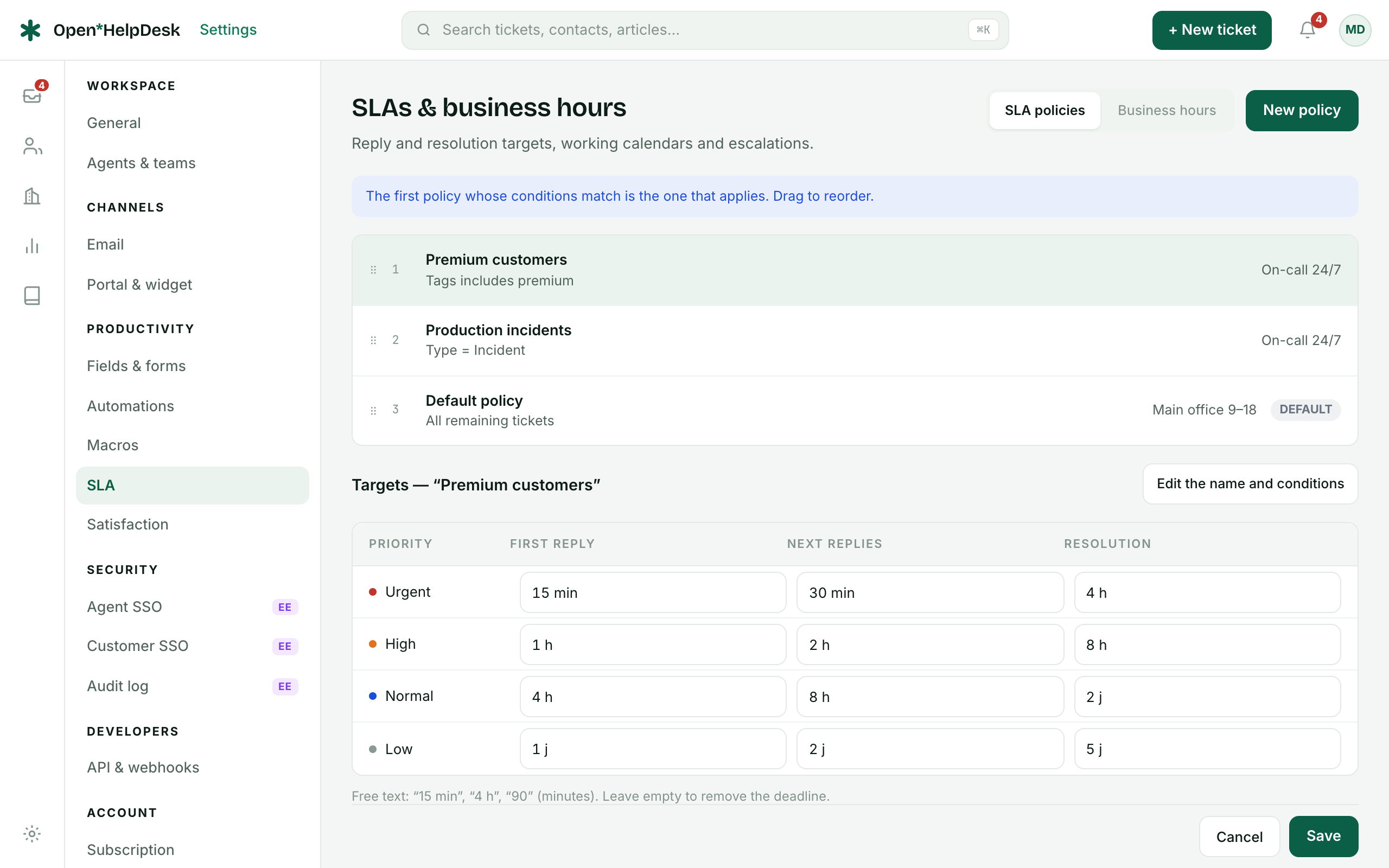
A policy tracks three deadline types, each set per priority (Low, Normal, High, Urgent):
- First reply
- From the moment the ticket is created until an agent replies publicly for the first time.
- Next replies
- Once the contact replies, a fresh deadline starts for the agent's next public reply; it clears the moment the agent answers.
- Resolution
- From creation until the ticket is marked Solved.
The worker checks deadlines every minute: a reminder at T-30 minutes, then a breach — each recorded once, and each posted as a system event on the ticket. It only checks New and Open tickets, so a ticket parked in Waiting or On hold is not counted as breached.
Which policy applies
Policies are evaluated top to bottom. The first policy whose conditions match is the one that applies — the rest are never considered for that ticket. Drag to reorder. The default policy (“All remaining tickets”) has no conditions, so it matches everything; it sits last on purpose, and it cannot be deleted or given conditions.
Business hours
A calendar carries a time zone, a weekly grid of open ranges (a day you leave off is closed), and a list of public holidays. A policy with no calendar runs 24/7. Deadlines are computed inside the calendar's open ranges only, so nights, weekends and holidays do not burn the clock.
A deadline worked out
Take a calendar of Mon–Fri, 09:00–18:00 (nine open hours a day, weekend closed) and a policy whose first-reply target is 4 business hours. A ticket arrives Friday at 17:00. Only one open hour is left that Friday, so the clock carries the other three across the closed weekend to Monday morning:
Created            Fri 17:00
Target             4 business hours (first reply)
Business hours     Mon–Fri 09:00–18:00

Fri 17:00 → 18:00   1 h   (3 h left)
Sat, Sun            closed — clock paused
Mon 09:00 → 12:00   3 h   (0 h left)

First-reply due     Mon 12:00
The deadline lands Monday 12:00, not Friday evening plus four wall-clock hours. The same calculation drives the Worked example shown live under the targets grid, and the countdown is paused again whenever the ticket sits in Waiting or On hold.